ChatGPT can help with almost any question, but the context you need to get work done often lives in your internal tools: docs, files, messages, emails, tickets, and project trackers. Those tools don’t always connect to each other, and the most accurate answer is often spread across them.
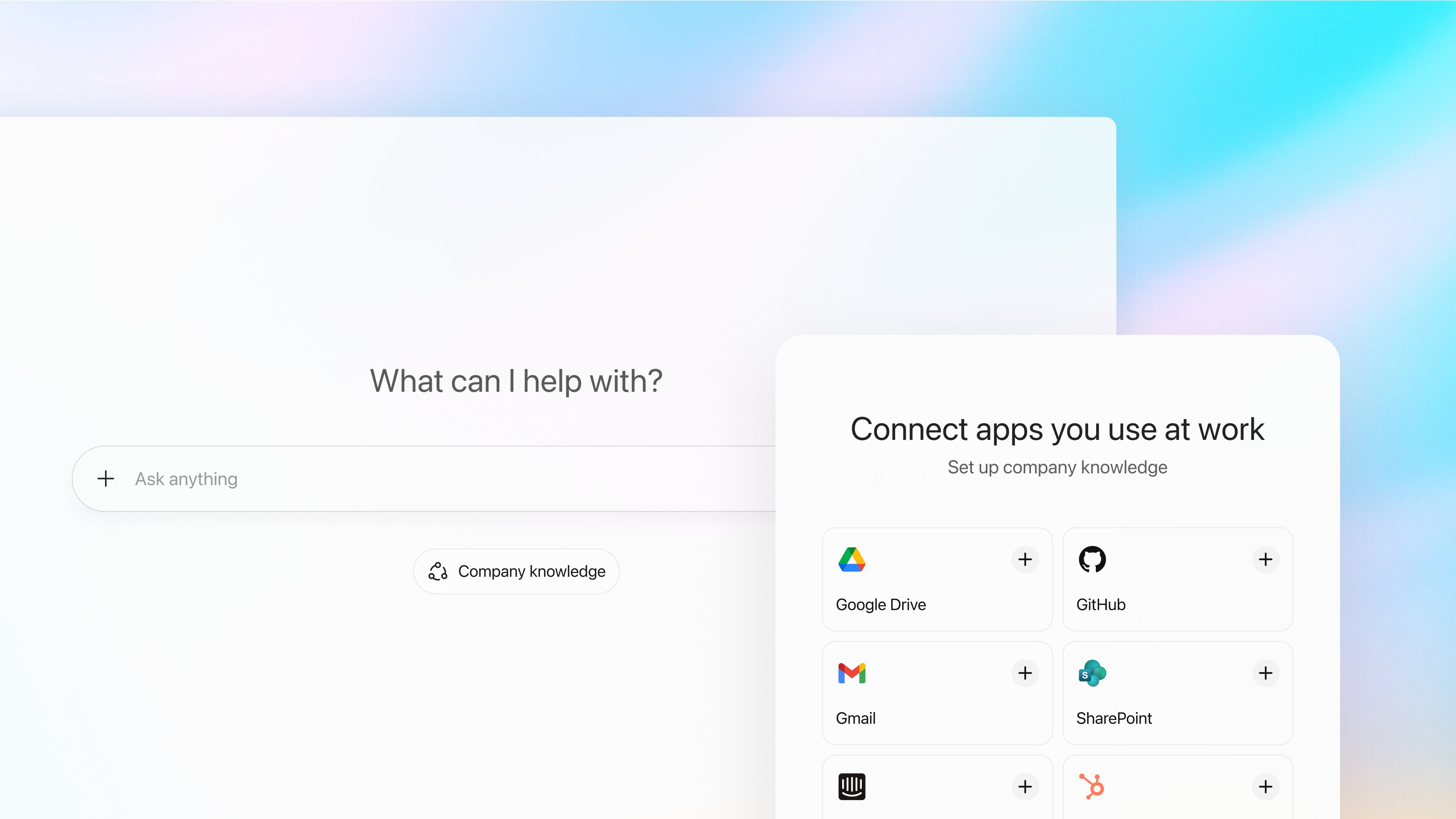
Today we're introducing company knowledge for ChatGPT Business, Enterprise, and Edu. Company knowledge brings all the context from your connected apps together in ChatGPT, giving you answers specific to your business—so you can make decisions, take action, and get things done.
With company knowledge, the information in your connected apps—like Slack, SharePoint, Google Drive, and GitHub—becomes more useful and accessible. It’s powered by a version of GPT‑5 that’s trained to look across multiple sources to give more comprehensive and accurate answers. Every response includes clear citations so you can see where the information came from and trust the results.
For example, if you have an upcoming client call, ChatGPT can create a briefing for you based on recent messages from your account channel in Slack, key details from emails with your client, the last call notes in Google Docs, and any escalations from Intercom support tickets since your last meeting.
Starting today, anyone on ChatGPT Business, Enterprise, and Edu can use company knowledge. Company knowledge respects your existing company permissions, so ChatGPT only has access to what each user is already authorized to view.
To get started, tap “Company knowledge” under the message composer. When using it for the first time, you’ll need to connect your work apps. After that, whenever you enable it, ChatGPT will look across all your apps to bring relevant context into its answers.
As it works, you can follow along in the sidebar to see what it’s looking at and how it’s using the information. When it’s done, you’ll see exactly what sources it used to inform its response, along with the specific snippets it drew from. You can then click on any citation to open the original source for more details.
Get started now(opens in a new window) or learn more in our Help Center(opens in a new window).
## Built to understand what’s going on at work
Company knowledge can run multiple searches to resolve conflicting details, making it more effective at handling ambiguous questions and situations where there isn’t a clear answer. This is especially useful when teams aren’t on the same page or a decision hasn’t been made. For example, if you ask _“_ Where did we land on company goals for next year?_”_ ChatGPT can summarize what’s been discussed and highlight differing viewpoints, so you can take the right next step with the team.
It can also provide more balanced, comprehensive responses. For example, if you say, “Report on customer feedback from the mobile launch,” it won’t just recap sentiment but will also bring in related support tickets, customer quotes, and even recommend next steps. This gives you a more complete picture of what’s really happening to help you make better decisions.
And because it can think while it searches and use date filters, company knowledge is good at finding time-based information. For example, if you ask _“_ Give me a quick update on our company performance,” ChatGPT can pull from multiple Slack channels and Google Docs and Sheets, ranking sources by recency and quality to give you the most current view. It can also track down information from a specific moment in time, like “Look back at our company performance in Q1,” so you don’t have to dig through past files or messages yourself.
## Your company data stays private, protected, and in your control
As ChatGPT becomes even more helpful at work, we’re giving organizations more control over who can access what, where data lives, and how it’s protected.
Learn more about our enterprise-grade security, data privacy, and compliance programs.
Synthesize insights Create a report Build a plan
Company knowledge goes beyond answering questions like “How do I file an expense report?” It helps ChatGPT understand your work context right away, so it can be more useful with tasks like drafting plans, compiling reports, or catching up on a new project—without you having to explain what you’re working on.
## Limitations and what’s next
To use company knowledge today, you’ll need to manually select it when you start a new conversation. When it’s not selected, ChatGPT may still use your connected apps to help answer questions, but its responses won’t include the same depth or detailed citations. We’re working to bring these experiences together in the coming months.
When company knowledge is on, ChatGPT can’t search the web or create charts and images. You can turn it off and continue working in the same conversation to use these capabilities, while keeping your existing context. In the coming months, we plan to integrate company knowledge with ChatGPT’s full range of capabilities.
We’ll continue adding support for additional tools to make company knowledge responses even more comprehensive. This week, we introduced new connectors to Asana, GitLab Issues, ClickUp, and many more(opens in a new window).
Learn more about ChatGPT Business(opens in a new window) or contact our team(opens in a new window) to start using ChatGPT with your company knowledge.
Introducing GPT-5.4 mini and nano Company Mar 17, 2026
Why Codex Security Doesn’t Include a SAST Report Product Mar 16, 2026
New ways to learn math and science in ChatGPT Product Mar 10, 2026
Our Research * Research Index * Research Overview * Research Residency * OpenAI for Science * Economic Research
Latest Advancements * GPT-5.3 Instant * GPT-5.3-Codex * GPT-5 * Codex
Safety * Safety Approach * Security & Privacy * Trust & Transparency
ChatGPT * Explore ChatGPT(opens in a new window) * Business * Enterprise * Education * Pricing(opens in a new window) * Download(opens in a new window)
Sora * Sora Overview * Features * Pricing * Sora log in(opens in a new window)
API Platform * Platform Overview * Pricing * API log in(opens in a new window) * Documentation(opens in a new window) * Developer Forum(opens in a new window)
For Business * Business Overview * Solutions * Contact Sales
Company * About Us * Our Charter * Foundation * Careers * Brand
Support * Help Center(opens in a new window)
More * News * Stories * Livestreams * Podcast * RSS
Terms & Policies * Terms of Use * Privacy Policy * Other Policies
(opens in a new window)(opens in a new window)(opens in a new window)(opens in a new window)(opens in a new window)(opens in a new window)(opens in a new window)
OpenAI © 2015–2026 Manage Cookies
English United States